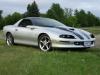
jmoore Posted March 27, 2005 Report Posted March 27, 2005 That's me. Call me a dumbass but I can't figure out how to get pics from photobucket on to here. Can someone help? Quote
chris642 Posted March 27, 2005 Report Posted March 27, 2005 you see those 3 lines of text under the pictures: URL- TAG- IMG- just copy and past all the text from the "IMG" line or you n do it pressing the IMG button under "U" and "font" right above this body when you are posting, add the "URL" line, then press the "IMG" button again. im having a problem with that new video hosting site, i cant get my video uploaded. it goes to a screen after like 10 mins of loading, this is what it says Checking uploads in the last 24 hours... - Upload limit is fine Parsing $_POST data...Checking file existence and file type... something fucked up Quote



Recommended Posts
Join the conversation
You can post now and register later. If you have an account, sign in now to post with your account.